
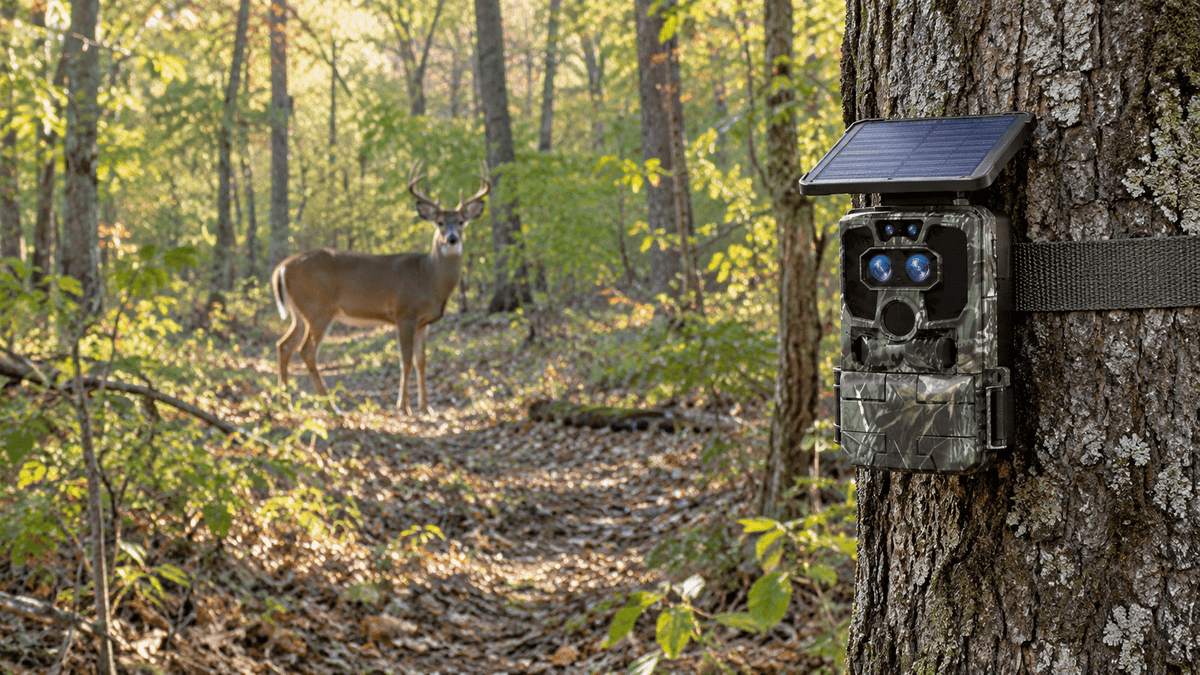
Choosing the right storage capacity is an important step when setting up a trail camera. Whether you are tracking whitetail deer, monitoring wildlife, scouting hunting areas, or recording activity around remote outdoor locations, the right SD card helps ensure your camera can capture the moments that matter.
But how much storage does a trail camera actually need? Is a 32GB SD card enough, or should you choose 64GB or 128GB? And how much space do high-resolution photos, Full HD clips, and 4K trail camera videos require?
The answer depends on your camera's image resolution, video settings, detection frequency, and how often you retrieve your recordings.
In this guide, Voopeak explains trail camera SD card capacity, estimated photo and video storage, memory card compatibility, and practical tips for choosing the best storage solution for your wildlife monitoring setup.
Quick Answer: How Much Storage Does a Trail Camera Need?
For many trail camera users, 32GB to 64GB is a practical starting point, while 128GB can be useful for video-heavy recording or cameras deployed in remote locations for extended periods. Always check your specific camera's supported capacity before purchasing a memory card.
Here is a quick comparison:
| SD Card Capacity | Best For | Main Consideration |
|---|---|---|
| 16GB | Short deployments and occasional photos | Limited space for frequent recordings |
| 32GB | Everyday wildlife photography and routine deer scouting | A practical starting point for many users |
| 64GB | Mixed photo and video recording | More flexibility for busy wildlife areas |
| 128GB | Extended deployments and video-heavy use | Confirm SDXC compatibility |
| 256GB or more | Specialized, high-capacity recording setups | Only suitable if explicitly supported by the camera |
These recommendations are general guidelines, not universal limits. A trail camera that records frequent 4K video can fill a card much faster than one that captures a few still photos each day.
1. What Determines Trail Camera Storage Capacity?
The number of photos and videos your trail camera can save depends on several factors. Understanding them helps you choose an SD card that fits your actual needs rather than simply buying the largest card available.
Photo Resolution
Higher-resolution images generally require more storage space. A 60MP photo, for example, may occupy significantly more space than a lower-resolution image, depending on image processing and compression.
If your camera is primarily used to identify deer, observe animal behavior, or monitor a wildlife trail, high-resolution photos can provide valuable details. However, you should balance image quality with the number of files you expect to capture.
Video Resolution and Clip Length
Video usually consumes much more storage than an individual photo.
A short 1080p clip may take up several megabytes or more, while a 4K recording of the same duration can require substantially more space. The actual file size depends on bitrate, frame rate, compression, and recording length.
For example, a camera recording 30-second clips whenever movement is detected may generate hundreds of clips in a busy location. If your trail camera records in 4K, you should plan for a larger storage capacity than you would for occasional still photos.
Detection Frequency
A trail camera positioned beside a busy deer feeder, water source, or frequently used wildlife trail may trigger dozens or hundreds of times per day.
By contrast, a camera placed in a quiet woodland area might record only a few events daily.
The more frequently your camera detects movement, the faster its SD card fills up. Your location is therefore just as important as the card's advertised capacity.
Photo Burst and Recording Settings
Some trail cameras capture multiple photos per trigger. Others record a video after detecting motion or combine photos and video.
A setting that captures five photos per event can consume several times more storage than a single-photo setting. Longer video clips also increase storage requirements.
Review your camera's settings before deciding how much memory you need.

2. How Many Photos Can a Trail Camera SD Card Hold?
The number of photos a memory card can store depends on the average size of each image.
For planning purposes, consider this illustrative estimate based on an average file size of 4MB per photo. Actual results can vary considerably with resolution, compression, and image content.
| SD Card Capacity | Approximate Number of Photos |
|---|---|
| 16GB | 4,000 |
| 32GB | 8,000 |
| 64GB | 16,000 |
| 128GB | 32,000 |
These estimates use decimal storage capacity and simplified file-size calculations. Formatting overhead and reserved space may reduce the usable total.
For example, a 32GB trail camera SD card could store approximately 8,000 photos averaging 4MB each. If your camera produces 8MB images instead, the same card would hold roughly half as many.
This is particularly important when using high-resolution wildlife cameras. A camera advertised with a high megapixel count does not necessarily produce files of a fixed size, so real-world storage capacity will depend on its actual output.
Practical tip: If your camera is set to capture high-resolution images and you expect frequent movement, choose more storage than you think you need or check your SD card regularly.

3. How Much Video Can a Trail Camera SD Card Store?
If you mainly record animal behavior, hunting activity, or nighttime wildlife movement, video storage deserves extra attention.
Unlike photos, video files accumulate continuously throughout each recording clip. Higher resolutions and longer clips typically require more space.
The following table illustrates how recording bitrate affects storage. It assumes the card's full advertised capacity is available, so real usable recording time may be lower.
| SD Card Capacity | At 10 Mbps | At 25 Mbps |
|---|---|---|
| 16GB | About 3.6 hours | About 1.4 hours |
| 32GB | About 7.1 hours | About 2.8 hours |
| 64GB | About 14.2 hours | About 5.7 hours |
| 128GB | About 28.4 hours | About 11.4 hours |
These are mathematical estimates for continuous video at the stated bitrates, not guaranteed recording times for every trail camera.
For instance, a 64GB card recording at 25 Mbps provides approximately 5.7 hours of video under these assumptions. If each clip lasts 30 seconds, that equals roughly 680 clips before allowing for formatting overhead and other files.
What About 4K Trail Camera Video?
4K video offers more detail, which can help you examine animal movement, distinguish features, and review wildlife footage. However, 4K recording can require more storage than 1080p, depending on bitrate and compression.
If you plan to record 4K footage frequently, consider a 64GB or 128GB card if your camera supports it. A 32GB card may still work for short clips and low-activity locations.
The key is to consider the amount of video you actually record, not simply the maximum resolution listed in the product specifications.
4. Is a 32GB, 64GB, or 128GB SD Card Best for a Trail Camera?
There is no single best capacity for every user. The right choice depends on how you use your trail camera and how frequently you can access it.
Choose 32GB for Everyday Wildlife Photography
A 32GB SD card is a reasonable starting point for users who primarily take photos, check their cameras regularly, and do not record large amounts of video.
It can be especially practical for routine deer scouting, backyard wildlife monitoring, and shorter deployments.
Before buying, confirm that the card format and maximum capacity are compatible with your camera.
Choose 64GB for More Flexible Recording
A 64GB card provides twice the advertised storage of a 32GB card. It offers more flexibility for mixed photo and video recording, busier wildlife locations, and cameras that remain outdoors between regular visits.
For users who want a balance between capacity and convenience, 64GB can be a useful option when supported by the camera.
Choose 128GB for Longer Deployments
A 128GB card may be helpful when your camera records frequent video clips, captures activity in a high-traffic area, or is installed somewhere difficult to visit regularly.
It can also provide more room for high-resolution images and 4K video.
However, bigger is not always better. Some trail cameras have strict memory card capacity limits, and older models may not recognize SDXC cards. Always verify compatibility before purchasing a larger card.
5. How to Choose the Best SD Card for a Trail Camera
Storage capacity is only one part of choosing the right memory card. Format, write speed, reliability, and compatibility also matter.
Check SDHC and SDXC Compatibility
SDHC cards generally cover capacities above 2GB through 32GB. SDXC cards cover capacities above 32GB through 2TB.
These formats use different file systems by default, so a camera that supports SDHC but not SDXC may fail to recognize a 64GB or larger card.
Check your trail camera's manual for the supported card type and maximum capacity. Do not assume that every camera accepts every available card size.
Pay Attention to Write Speed
Your memory card must be able to save files reliably as the camera captures them.
For standard photo recording and many 1080p applications, a reputable card with an appropriate speed rating may be sufficient. For demanding 4K recording, check the camera manufacturer's recommended write-speed class and recording requirements.
A high advertised read speed does not automatically mean the card can sustain the write speed your camera needs.
Consider Reliability and Outdoor Conditions
Trail cameras often operate unattended in cold weather, heat, humidity, and changing outdoor conditions. Choose a genuine memory card from a reputable manufacturer and follow its operating specifications.
If your camera records continuously or writes files frequently, a high-endurance card may be worth considering, provided it is compatible with the camera.
Format the Card in the Camera
When setting up a new SD card, back up any important files first. Insert the card and use your camera's formatting function if the manufacturer recommends it.
Formatting erases existing data, so never format a card before saving footage you want to keep.
After formatting, test the camera to confirm that it can capture, save, and play back files correctly.

6. How to Prevent Your Trail Camera SD Card from Filling Up
Even a large memory card can fill quickly in a busy wildlife location. These habits can help you manage storage more effectively.
1. Adjust video clip length. Shorter clips reduce storage use when you do not need long recordings of every event.
2. Review photo resolution. Use the highest resolution when fine detail is essential, but consider lower settings when you mainly need to monitor general animal activity.
3. Check your camera periodically. Reviewing the card helps you understand how quickly files accumulate and when you should retrieve recordings.
4. Keep a spare compatible card. Swapping cards in the field can be more convenient than waiting to transfer files at the camera location.
5. Back up important recordings. Save memorable wildlife footage and useful scouting images to a computer or another storage location before clearing the card.
6. Understand your camera's overwrite behavior. Some trail cameras overwrite older files when a card becomes full, while others stop recording or notify you. Check your model's settings instead of assuming it will automatically preserve new footage.
7. Does a Cellular or WiFi Trail Camera Still Need an SD Card?
Yes, depending on the camera's design and storage options.
A cellular trail camera can transmit selected images or alerts through a mobile network, while a WiFi trail camera may allow local wireless access or file transfer. These features do not automatically mean that every full-resolution photo and video is stored online.
Some models save recordings to a memory card, while others use internal storage or cloud-based options. Check your specific camera's specifications to understand where original files are saved.
For Voopeak users, the right storage choice should reflect the camera model, recording settings, and intended use. If you use a camera for remote deer scouting or wildlife monitoring, consider both how files are stored locally and how you access them remotely.
Remember that cellular data plans, cloud storage, and SD card storage serve different purposes. Wireless connectivity does not guarantee unlimited local storage, and a larger SD card does not automatically increase cellular data allowances.
8. How Much Storage Do You Need for a Voopeak Trail Camera?
The best storage setup for a Voopeak trail camera depends on the model and the way you use it.
If you mainly capture wildlife photos and check your camera frequently, start by checking whether a compatible 32GB card meets your needs. If you record more video, monitor busy wildlife trails, or leave your camera unattended for longer periods, consider a larger supported capacity.
For high-resolution or 4K recording, review the camera's storage specifications and the size of the video files it produces. This will give you a more accurate estimate than choosing a memory card based on megapixels alone.
Before purchasing an SD card, verify three things:
-
The maximum supported card capacity for your specific Voopeak model.
-
Whether the camera accepts SDHC, SDXC, or another memory card format.
-
Whether the card's write-speed rating meets the camera's recording requirements.
These simple checks help reduce compatibility issues and ensure your camera is ready for the next wildlife encounter.

FAQ
Is 32GB enough for a trail camera?
For many photo-focused trail cameras, 32GB is a practical starting point. It may be sufficient for thousands of photos, but frequent video recording or high-resolution files can fill the card much faster.
Is 64GB better than 32GB for a trail camera?
A 64GB card provides twice the advertised storage capacity of a 32GB card. It can be a better option for video recording and busier locations, provided your camera supports SDXC or the specific card capacity.
Can I use a 128GB SD card in any trail camera?
No. Some trail cameras have maximum capacity limits or do not support SDXC cards. Always check the manufacturer's specifications before using a 128GB memory card.
Does 4K video require more SD card storage?
Usually, yes, when comparing recordings with similar durations and compression settings. However, actual file sizes depend on bitrate, frame rate, compression, and recording settings.
What happens when a trail camera SD card becomes full?
Depending on the model and settings, the camera may overwrite older files, stop recording, or display a storage warning. Check your camera's manual to understand its behavior.
How often should I check my trail camera SD card?
There is no universal schedule. A busy location recording frequent videos may require more frequent checks than a quiet location capturing occasional photos. Review your storage usage after the first few days to estimate how often you need to retrieve files.
Final Thoughts
So, how much storage does a trail camera need? For many users, 32GB is a sensible starting point, 64GB provides greater flexibility, and 128GB can be useful for longer deployments or video-heavy recording.
The best choice ultimately depends on image resolution, video quality, detection frequency, and your camera's supported memory card capacity.
By matching your SD card to your recording habits, checking compatibility, and backing up important footage, you can spend less time managing storage and more time discovering what happens in the wild.
Explore Voopeak trail cameras to find a wildlife monitoring solution that fits your outdoor setup and recording needs.

Leave a comment
This site is protected by hCaptcha and the hCaptcha Privacy Policy and Terms of Service apply.