
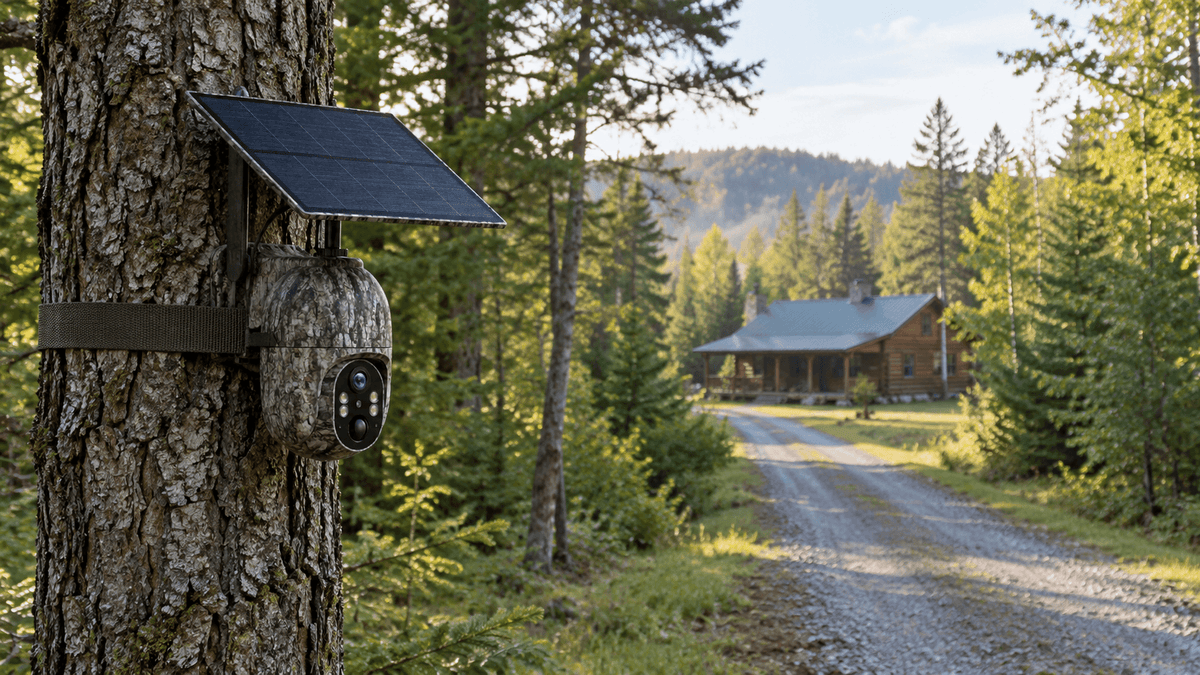
Owning remote property offers privacy, outdoor recreation, and opportunities to enjoy nature. However, keeping an eye on a hunting cabin, vacant house, farm, ranch, or wooded parcel can be challenging when there is no Wi-Fi connection. Driving to a property every few days just to check for visitors, wildlife, or potential damage is time-consuming and expensive.
Fortunately, there is a practical solution: a cellular trail camera.
Unlike a traditional Wi-Fi security camera, a cellular trail camera can use a mobile network to transmit captured images or notifications to a compatible app, provided cellular service is available and the camera has an active data plan. This makes it a useful option for remote property monitoring, off-grid surveillance, wildlife observation, and rural land security.
In this guide, we explain how to monitor remote property without Wi-Fi, how cellular trail cameras work, where to install them, and what to consider when choosing a reliable remote monitoring solution from Voopeak.
Can You Monitor Property Without Wi-Fi?
Yes. You can monitor many remote properties without a Wi-Fi connection by using a cellular security camera, a cellular trail camera, or a suitable camera system with local storage.
The best option depends on your property's location, power availability, security requirements, and mobile network coverage.
Here are three common approaches:
-
Cellular trail cameras: Use a supported cellular network to send captured photos or alerts remotely. They are particularly useful for hunting land, wooded lots, remote cabins, and wildlife observation.
-
Local-storage security cameras: Record footage to an SD card or another local storage device. These can work without an internet connection, but you may need to visit the property to retrieve recordings.
-
Solar-powered cellular cameras: Combine cellular connectivity with solar charging to reduce the need for frequent battery replacement or manual recharging, depending on sunlight and power consumption.
For many rural property owners, a cellular trail camera offers a useful balance between remote visibility, flexible placement, and relatively simple installation.
Keep in mind that cellular cameras do not eliminate every connectivity requirement. They need compatible cellular coverage, an appropriate data plan, and a power source. Always check network availability at the actual installation site before purchasing.
1. How Does a Cellular Trail Camera Work Without Wi-Fi?
A cellular trail camera works differently from a conventional home security camera.
A standard Wi-Fi camera generally connects to a local wireless router before it can provide remote access. In contrast, a cellular trail camera uses a supported mobile network to communicate with remote devices.
Here is how the process typically works:
-
Motion detection: The camera detects movement within its configured detection area.
-
Image or video capture: It records a photo or video clip according to its settings.
-
Cellular transmission: If supported by the model, the camera uses its cellular connection and active data plan to transmit captured media or send an alert.
-
Remote access: You can review available images, notifications, or other supported information through the manufacturer's app.
-
Continued monitoring: The camera returns to its low-power monitoring state when appropriate, helping conserve battery power.
This process allows you to check activity at a remote property without installing a Wi-Fi router or traveling to the site every time you want an update.
However, cellular trail cameras are not all identical. Some models primarily transmit photos, while others support additional remote functions or video features. Check the specifications of your chosen model to understand exactly what it can send and which features require cellular data.

2. Best Uses for a Cellular Trail Camera on Remote Property
A cellular trail camera is useful anywhere you need visibility but cannot rely on a traditional internet connection.
Monitoring a Remote Cabin or Vacation Property
Seasonal cabins and vacation homes may remain empty for weeks or months. A cellular trail camera can help you check outdoor activity around an entrance, driveway, storage shed, or access road.
Motion-triggered images may help you identify unexpected visitors, passing vehicles, or animals near the building. This is especially helpful when the property is far from your primary residence.
For better coverage, consider placing the camera where it has a clear view of the approach without pointing it toward neighboring properties or areas where people expect privacy.
Protecting Hunting Land and Game Areas
Hunters and landowners often need to monitor wildlife activity, trails, feeding areas, and access points across large parcels of land.
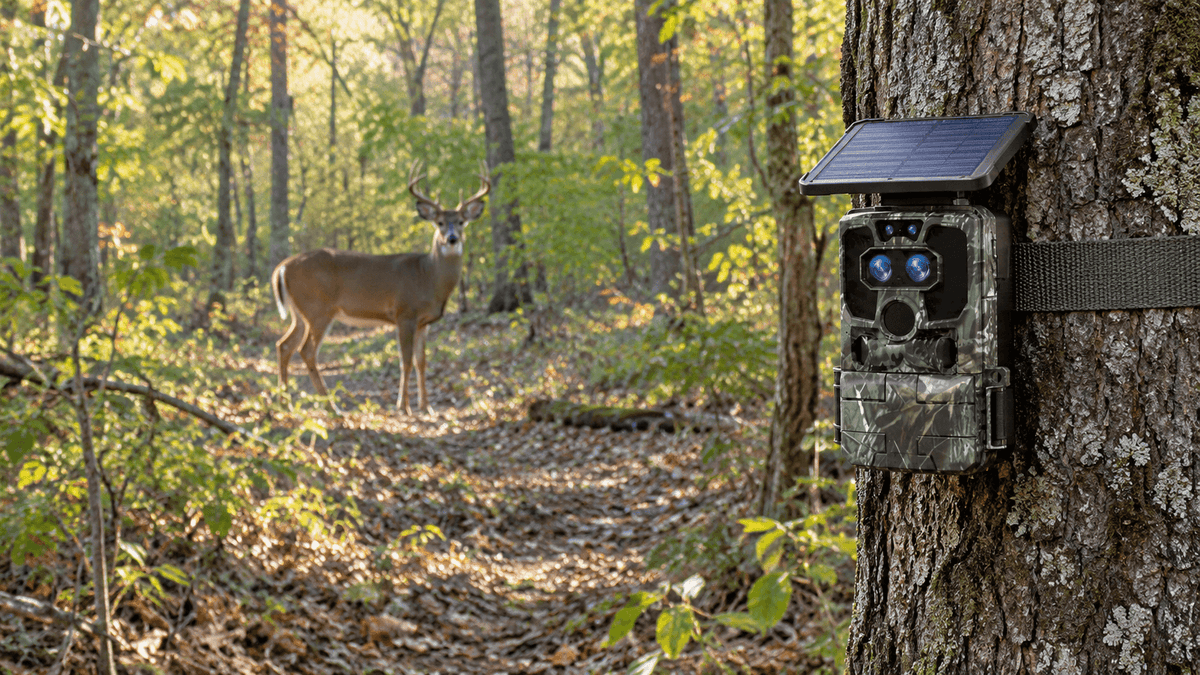
A cellular trail camera can send selected images remotely, allowing you to check deer movement and other wildlife activity without repeatedly disturbing the area.
It can also help you observe whether people or vehicles have entered a private access road. When choosing a camera for this purpose, consider image resolution, detection performance, night illumination, weather resistance, and cellular coverage.
Keeping an Eye on Farms, Ranches, and Equipment
Agricultural properties often contain remote gates, barns, livestock areas, equipment storage locations, and long access roads.
Strategically positioned cellular trail cameras can help owners review motion around these locations. They may provide useful evidence of activity near machinery, supplies, fences, or entrances.
A camera is not a substitute for every security measure, but it can provide an additional layer of awareness when regular on-site inspections are difficult.
Checking Vacant Land and Construction Sites
Undeveloped lots and remote construction sites may lack permanent electricity, Wi-Fi, and existing surveillance infrastructure.
A cellular trail camera can be installed at a suitable location to monitor selected access points or equipment areas. A solar-compatible model may be particularly convenient when frequent battery replacement is impractical.
For active construction sites, confirm that the camera's mounting method, field of view, cellular plan, and power supply suit the site's conditions.

3. Why Choose a Solar-Powered Cellular Trail Camera?
Power is one of the biggest challenges when monitoring property without Wi-Fi. A remote site may not have an accessible electrical outlet, and changing batteries frequently can be inconvenient.
A solar-powered cellular trail camera can reduce this maintenance burden by using a compatible solar panel to recharge its battery.
Key benefits include:
-
Flexible installation: Place the camera in suitable outdoor locations without depending on a nearby wall outlet.
-
Reduced maintenance: Solar charging can reduce how often you need to manually recharge the camera, depending on sunlight, weather, and usage.
-
Support for off-grid monitoring: Combine cellular connectivity with solar power to monitor locations that lack conventional internet and electrical infrastructure.
-
Motion-triggered operation: Capture activity when movement is detected rather than relying on continuous recording, where the camera's design supports this approach.
Before installation, choose a location with sufficient sunlight for the solar panel. Shade, winter conditions, extended cloudy periods, and frequent camera activity can affect charging performance.
You should also confirm whether the solar panel is included, whether the camera supports an external panel, and how the battery behaves when charging conditions are poor.

4. What to Look for in a Remote Property Monitoring Camera
Choosing the right camera involves more than comparing megapixels or advertised features. The best cellular trail camera is one that matches the property's environment and your monitoring requirements.
Cellular Coverage and Data Plans
First, verify that the camera supports a cellular network with usable coverage at your installation site.
A phone showing signal nearby does not necessarily guarantee reliable performance at the exact camera location. Hills, dense vegetation, buildings, and distance from cell towers can influence reception.
Check the camera's supported network bands, carrier compatibility, SIM requirements, and data-plan terms before buying. Some cameras use a dedicated SIM or service plan, so confirm whether you can use your own SIM.
Image Quality and Night Vision
Clear images help you identify wildlife, vehicles, and activity around entrances or access roads.
Look for adequate photo resolution, useful nighttime illumination, and a detection system suited to the distance you need to cover. Remember that image resolution alone does not guarantee a clear identification, especially in darkness or poor weather.
Weather Resistance and Durability
Outdoor cameras must withstand changing temperatures, rain, dust, and other environmental conditions.
Check the manufacturer's weather-resistance rating and installation instructions. Mount the device securely and position it to reduce unnecessary exposure to direct runoff or physical interference.
Battery Life and Storage
Battery performance depends on temperature, cellular signal strength, image transmission frequency, and the amount of detected activity.
Review storage options as well. Some cameras use an SD card for local storage, while remote transmission and cloud services vary by model. Confirm which features work without a subscription and which require a paid service.
5. How to Set Up a Cellular Trail Camera Without Wi-Fi
A reliable setup begins with planning rather than simply mounting the camera to a tree.
Step 1: Check the location. Confirm cellular coverage, identify the area you want to monitor, and choose a position with a useful field of view.
Step 2: Prepare the camera. Follow the manufacturer's instructions for activating the device, installing any required accessories, and setting up the compatible app and data plan.
Step 3: Choose the mounting position. Secure the camera to a stable tree, post, or suitable mounting surface. Avoid aiming it directly toward strong sunlight or placing vegetation where it may trigger repeated false alerts.
Step 4: Configure detection and transmission. Adjust motion sensitivity, capture settings, notification preferences, and transmission frequency according to the model's available features.
Step 5: Test remote access. Trigger a test capture and confirm that the image or notification reaches your phone. If transmission fails, check the cellular signal, account activation, data plan, battery level, and device settings.
Step 6: Review and maintain. Periodically check the camera's position, battery status, solar panel cleanliness, storage capacity, and network performance.
These steps can help you avoid common installation problems and establish a more dependable remote property monitoring routine.

6. Is a Cellular Trail Camera Better Than a Wi-Fi Security Camera?
Neither camera type is best for every situation. The right choice depends on the property's connectivity, power supply, and intended use.
A Wi-Fi security camera is often convenient for homes, garages, and buildings with reliable wireless internet. A cellular trail camera is generally more suitable for remote outdoor locations where installing a router is impractical.
For example, if you want to monitor a wooded hunting parcel several miles from your home, a cellular trail camera may be more practical than extending Wi-Fi to the site.
If you need continuous video coverage of a busy commercial building, a dedicated security camera system may be more appropriate, provided the necessary infrastructure is available.
Also consider how you want to receive information. A motion-triggered trail camera can be efficient for checking specific events, but it should not automatically be treated as a replacement for a continuously recording surveillance system.
7. Monitor Remote Property With Voopeak Cellular Trail Cameras
Voopeak offers trail camera options designed for outdoor monitoring, wildlife observation, and different property conditions.
For users who need remote visibility in areas without Wi-Fi, compatible Voopeak cellular trail cameras can provide a practical way to capture outdoor activity and access supported images remotely through a cellular connection.
When comparing Voopeak models, consider your specific requirements:
-
Remote connectivity: Check supported cellular networks, SIM arrangements, and data-plan requirements.
-
Solar power: Consider a compatible solar-powered model if the installation site lacks convenient access to electricity.
-
Image capture: Choose a resolution and night-vision setup suited to the subjects and distances you want to monitor.
-
Installation environment: Match the camera's design and weather resistance to your property.
-
Remote access features: Confirm whether the model supports remote photo delivery, video transmission, live viewing, or other functions you need.
For example, the Voopeak TC32 is a 4G cellular solar-powered trail camera that uses an EIOT Club SIM. It is designed for cellular-connected outdoor monitoring and records video rather than taking still photographs. Before purchasing, review its current network and data-plan requirements to make sure it suits your location.
If you are primarily interested in wildlife monitoring, remote land observation, or checking outdoor activity without installing Wi-Fi, exploring Voopeak's compatible cellular trail cameras is a useful next step.
The goal is to choose a camera that fits your property, not simply the model with the longest feature list.
FAQ
Can a trail camera work without Wi-Fi?
Yes. A traditional trail camera can capture photos and videos locally without Wi-Fi. A cellular trail camera can also transmit supported images or notifications remotely when it has compatible cellular coverage and an active data plan.
Do cellular trail cameras require a subscription?
Many cellular trail cameras require a data plan or cellular service to transmit images remotely. The exact cost and subscription requirements depend on the camera, carrier, and service provider. Local recording may be available without paying for remote transmission, depending on the model.
Can I monitor remote land from my phone?
Yes, if your camera supports remote access and has an active cellular connection. You can review supported images or notifications through the manufacturer's compatible app without connecting the camera to your property's Wi-Fi network.
Do solar cellular trail cameras work in cloudy weather?
They can continue operating using stored battery power, but charging may be reduced during prolonged cloudy weather or in shaded locations. Actual performance depends on the panel, battery capacity, environmental conditions, and camera usage.
What is the best camera for property without internet?
For remote outdoor land with cellular coverage, a cellular trail camera can be a strong option. For locations without both Wi-Fi and usable cellular service, consider a camera that records locally, or investigate other connectivity solutions appropriate to the site.
Are cellular trail cameras suitable for security?
They can help monitor selected outdoor areas and provide images of detected activity. However, they do not guarantee prevention of trespassing or theft. For high-risk properties, consider combining cameras with appropriate locks, lighting, alarms, signage, and regular inspections.
Final Thoughts
Monitoring remote property without Wi-Fi is possible when you choose equipment that fits the location and understand its connectivity and power requirements.
A cellular trail camera can help you check hunting land, observe wildlife, monitor a remote cabin, or review activity around a rural property without installing a traditional internet connection. Solar charging can further simplify installation where access to electricity is limited.
Before choosing a camera, verify cellular coverage, data-plan requirements, image transmission capabilities, storage options, and expected battery performance.
With the right setup, a Voopeak cellular trail camera can become a useful part of your remote property monitoring strategy—helping you stay informed about outdoor activity even when your property is far from home.
Explore Voopeak trail cameras to find an option that matches your land, connectivity, and monitoring needs.

Hinterlasse einen Kommentar
Diese Website ist durch hCaptcha geschützt und es gelten die allgemeinen Geschäftsbedingungen und Datenschutzbestimmungen von hCaptcha.