
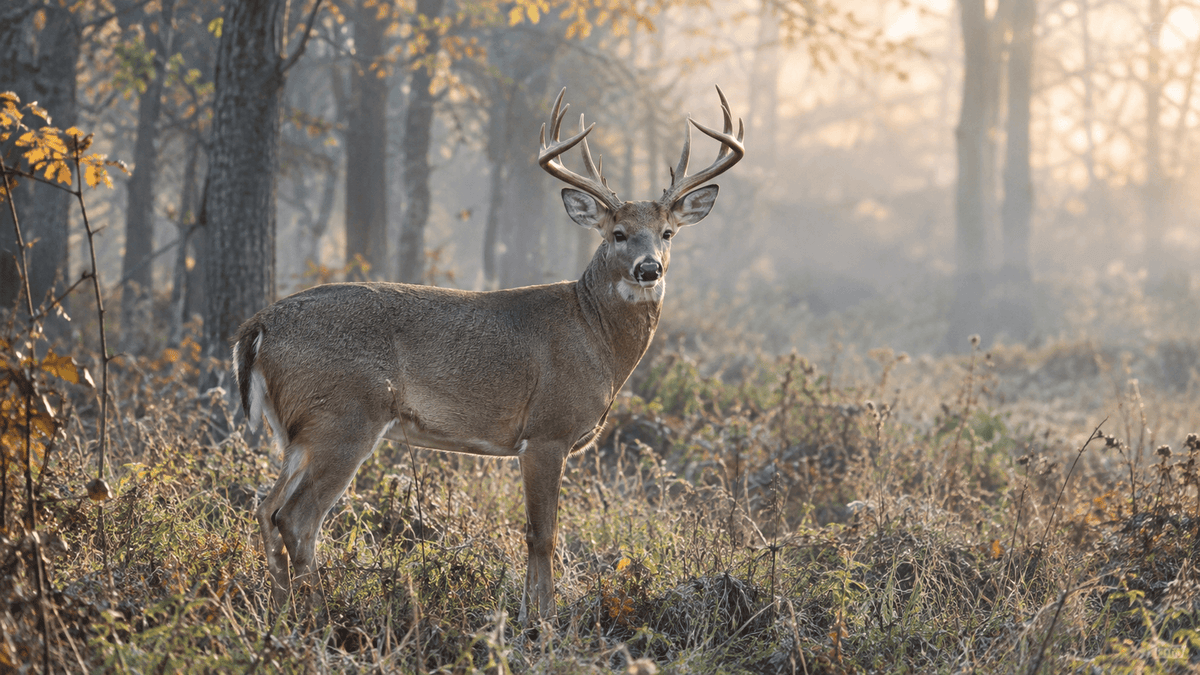
Choosing between trail camera photo vs. video mode is more than a matter of personal preference. If you use a trail camera for wildlife monitoring, deer scouting, hunting preparation, or observing animals in their natural habitat, the recording mode can significantly affect the information you collect.
Photo mode captures individual moments, making it easier to identify animals, compare visits, and conserve battery power and storage space. Video mode records movement over time, helping you understand animal behavior, walking direction, feeding habits, and interactions that a single image cannot fully explain.
So, which trail camera mode captures more useful wildlife data?
The answer depends on your goal. Photo mode is generally more efficient for tracking animal presence and activity over long periods, while video mode provides richer behavioral information. For the most complete picture of local wildlife, using both modes strategically is often the best approach.
In this guide, we compare trail camera photo and video modes, explain their advantages and limitations, and share practical trail camera settings for wildlife monitoring.
1. Understanding Trail Camera Photo and Video Modes
Before deciding which mode is better, it helps to understand what each recording method can reveal.
What Is Trail Camera Photo Mode?
Photo mode captures still images when a trail camera detects movement within its detection zone. Depending on the camera's settings, it may take one picture or a sequence of images during each trigger event.
For example, a camera placed along a deer trail might capture a buck passing through shortly before sunrise. Over several weeks, those photos can help you identify recurring animals, estimate how frequently they visit, and compare their activity at different times of day.
Photo mode is particularly useful when you want to collect a large number of wildlife observations without generating excessive files.
Common uses include:
-
Identifying deer, foxes, coyotes, raccoons, and other wildlife.
-
Recording animal presence at feeding areas and water sources.
-
Comparing antler development or visible physical characteristics.
-
Tracking visit frequency across multiple days.
-
Monitoring remote properties and wildlife corridors.
For researchers and outdoor enthusiasts, still images provide a simple, organized record of animal activity.
What Is Trail Camera Video Mode?
Video mode records a short clip when the camera detects movement. Depending on the model, you may be able to adjust video length, resolution, frame rate, and other recording settings.
Instead of showing only what an animal looks like, a video reveals what it does.
You might discover that a deer pauses to investigate a scent, that a raccoon repeatedly checks a particular location, or that several animals follow one another along the same trail.
Video mode can also help distinguish between animals that appear similar in photographs. Body movement, gait, posture, and interactions may provide useful identification clues.
Common uses include:
-
Observing wildlife behavior and social interactions.
-
Understanding how animals approach or leave a location.
-
Studying feeding, drinking, grooming, and territorial behavior.
-
Investigating what happens before and after a trigger event.
-
Reviewing movement patterns that still photos cannot fully explain.
The main trade-off is that video clips generally require more storage space and energy than individual photographs, although actual consumption depends on the camera and its settings.
2. Trail Camera Photo vs. Video: Key Differences
The most useful recording mode depends on which information matters most to you.
| Feature | Photo Mode | Video Mode |
|---|---|---|
| Animal identification | Excellent for clear still details | Useful for appearance and movement |
| Behavior analysis | Limited to captured moments | Excellent for observing actions |
| Movement direction | Sometimes difficult to determine | Easier to follow |
| Activity monitoring | Efficient for frequent detections | Richer context per event |
| Battery efficiency | Generally more efficient | Usually consumes more power |
| Storage requirements | Usually lower | Usually higher |
| Reviewing large datasets | Fast to scan and organize | Takes longer to review |
| Long-term wildlife surveys | Often practical | Useful for targeted observations |
| Nighttime observation | Captures still images using available night illumination | Can reveal movement in low light, depending on camera capability |
These comparisons are general guidelines rather than fixed rules. Sensor performance, image resolution, trigger speed, recovery time, video length, night illumination, and environmental conditions can all influence results.
The key difference is simple: photos are efficient for recording what was there, while videos are better for understanding what happened.
3. When Photo Mode Captures More Useful Wildlife Data
Photo mode is often the better choice when your primary objective is to collect consistent observations over days, weeks, or months.
Track Animal Presence and Visit Frequency
Suppose you install a trail camera beside a woodland path. You want to know which species visit, how often they appear, and whether activity changes throughout the season.
A series of still photographs can provide an efficient record of these observations.
You can sort images by date and time, identify species, and compare activity between different camera locations. If your camera supports timestamps, those records can also help reveal daily and seasonal activity patterns.
For long-term wildlife monitoring, this organized image dataset can be easier to manage than hundreds of video clips.
Identify Individual Animals
High-resolution trail camera photos can capture useful details such as coat patterns, body shape, facial markings, and antler characteristics when the animal is close enough and the image is sufficiently sharp.
These details may help distinguish recurring visitors, although not every animal can be reliably identified from a photograph.
For deer scouting, photo mode is especially useful when you want to document which animals visit a particular trail or feeding area without spending excessive time reviewing footage.
Conserve Battery and Storage
If your trail camera operates in a remote woodland, field, or hunting area, reducing maintenance trips can be important.
Photo mode generally creates smaller files and shorter recording events than video mode. This can help extend battery life and allow more observations to fit on an SD card.
However, frequent triggers can still consume significant power, particularly when the camera captures multiple images per event or uses intensive nighttime illumination.
For long-term deployment, consider photo mode with a suitable burst setting and a practical detection interval.
Best use cases for photo mode: wildlife presence surveys, deer scouting, animal identification, seasonal activity comparisons, and monitoring locations with frequent movement.

4. When Video Mode Provides Better Wildlife Insights
Photos are excellent for documenting sightings, but some important wildlife behaviors are difficult to interpret from a single frame.
Video mode helps fill that gap.
Understand Natural Animal Behavior
A photograph of a deer near a tree does not necessarily tell you whether it was feeding, scratching, scent-checking, or simply passing through.
A short video may reveal the complete action.
Similarly, footage of foxes, raccoons, coyotes, and other mammals can show how animals investigate objects, respond to sounds, interact with other animals, or move through different environments.
This context is valuable for wildlife enthusiasts who want to learn more about animal behavior rather than simply confirm that a species is present.
Observe Movement Patterns
Video is particularly helpful when monitoring narrow trails, fence gaps, property boundaries, or other locations where movement direction matters.
You can observe whether an animal approaches cautiously, stops repeatedly, changes direction, or follows another animal.
This information can help you choose a better camera position and understand how wildlife uses the surrounding landscape.
Keep in mind that a trail camera only records what falls within its field of view. A short clip does not necessarily represent an animal's complete route or behavior.
Capture Interactions Between Animals
When multiple animals appear together, video can provide valuable context.
For example, footage might show a doe followed by a fawn, several deer moving as a group, or a raccoon interacting with another animal near a water source.
These recordings can reveal relationships and sequences of behavior that individual photographs may miss.
Improve Nighttime Observation
Many wildlife species are active after dark, making nighttime recording an important consideration when selecting a trail camera.
Video can show how an animal moves through the detection zone under infrared illumination. However, low-light video quality varies according to sensor sensitivity, infrared wavelength, exposure, recording resolution, and the distance between the animal and camera.
If nighttime behavior is a priority, compare both the camera's night-photo quality and its night-video performance rather than relying on the advertised resolution alone.

5. Photo vs. Video for Deer Scouting and Hunting
For deer scouting, the best recording mode depends on the question you are trying to answer.
If you want to identify which deer visit a trail, compare antler characteristics, or establish how often animals pass through an area, photo mode is usually a practical starting point.
If you want to understand how deer approach a location, whether they pause before crossing an opening, or how several animals move together, video mode can provide more context.
Consider this simple comparison:
-
Finding deer activity: Start with photo mode to collect sightings efficiently.
-
Identifying recurring bucks: Use clear still images and compare visible physical characteristics.
-
Studying movement through a narrow trail: Use video to observe direction and walking patterns.
-
Monitoring a food plot or water source: Combine photos for frequent observations with selected video sessions for behavioral context.
-
Investigating nighttime activity: Test both modes under actual field conditions and compare usable footage.
Avoid assuming that a camera's recording mode alone determines the quality of your scouting data. Placement, detection angle, trigger speed, recovery time, and camera settings can be equally important.
It is also worth following local hunting regulations and property rules when placing cameras or collecting wildlife footage.
6. How to Choose the Right Trail Camera Settings
The best trail camera settings balance image quality, useful information, battery consumption, and storage capacity.
Recommended Starting Settings
The following are general starting points. Adjust them according to your camera's available options and field conditions.
| Setting | Photo Monitoring | Video Monitoring |
|---|---|---|
| Image or video quality | High enough for reliable identification | High enough to show movement clearly |
| Burst photos | 2–3 images per trigger, if available | Not applicable |
| Clip duration | Not applicable | Start around 10–20 seconds, if adjustable |
| Trigger sensitivity | Medium, then adjust for the location | Medium, then test movement capture |
| Time stamp | On | On, if supported |
| Capture schedule | Based on expected wildlife activity | Focus on locations or periods needing behavior analysis |
| Storage management | Review duplicates and organize images | Monitor clip size and remaining card capacity |
These suggested values are starting points, not universal settings. For example, a longer video may be appropriate for observing feeding behavior, while shorter clips may be more efficient along a busy trail.
Position Your Camera Carefully
Mount the camera at a height and angle appropriate for the target species. Aim it toward a clear route where animals are likely to pass, and avoid pointing directly into the rising or setting sun.
Remove nearby branches that may repeatedly trigger the sensor in the wind.
Before leaving the site, walk through the detection area if practical and test the camera's framing, trigger response, and nighttime illumination.
Match Storage to Your Recording Strategy
Photo mode generally makes it easier to collect a high volume of observations on a single memory card. Video mode requires more careful planning because clip sizes vary with resolution, frame rate, compression, and duration.
Use a compatible SD card, check remaining capacity regularly, and back up important footage before formatting the card.
For remote cameras, also consider battery capacity, external power compatibility, and the expected interval between maintenance visits.

7. Can You Use Photo and Video Modes Together?
Yes. In many situations, combining both recording modes provides a more balanced wildlife dataset.
A practical strategy is to use photo mode as your default for long-term monitoring, then switch to video mode when you need to investigate specific behavior or movement patterns.
For example, you might collect still images along a deer trail for several weeks. If the photographs reveal repeated visits at a particular time, you could use video during a later monitoring period to examine how deer approach the area.
This approach can reduce unnecessary video recording while preserving the opportunity to capture important behavior.
Some trail cameras support both photos and videos within the same trigger event. If your model offers this feature, check how the combination setting affects recovery time, battery consumption, and storage.
Not every camera supports simultaneous photo and video capture, so verify the specifications before planning your monitoring workflow.
8. Choosing a Trail Camera for More Useful Wildlife Data
When comparing trail cameras, look beyond megapixels and maximum video resolution. The best trail camera for wildlife monitoring is one that reliably captures the information you actually need.
Consider these features:
-
Trigger speed: Helps determine how quickly the camera responds to movement.
-
Recovery time: Affects how soon it can capture another event.
-
Night vision: Important for observing nocturnal wildlife.
-
Detection range: Determines how far away movement may trigger the camera under suitable conditions.
-
Photo and video settings: Provide flexibility for different monitoring goals.
-
Battery life: Influences how long the camera can operate in the field.
-
Storage compatibility: Helps you plan for the volume of images or videos collected.
-
Connectivity: Wi-Fi or cellular features may make remote access easier, depending on the model and coverage available.
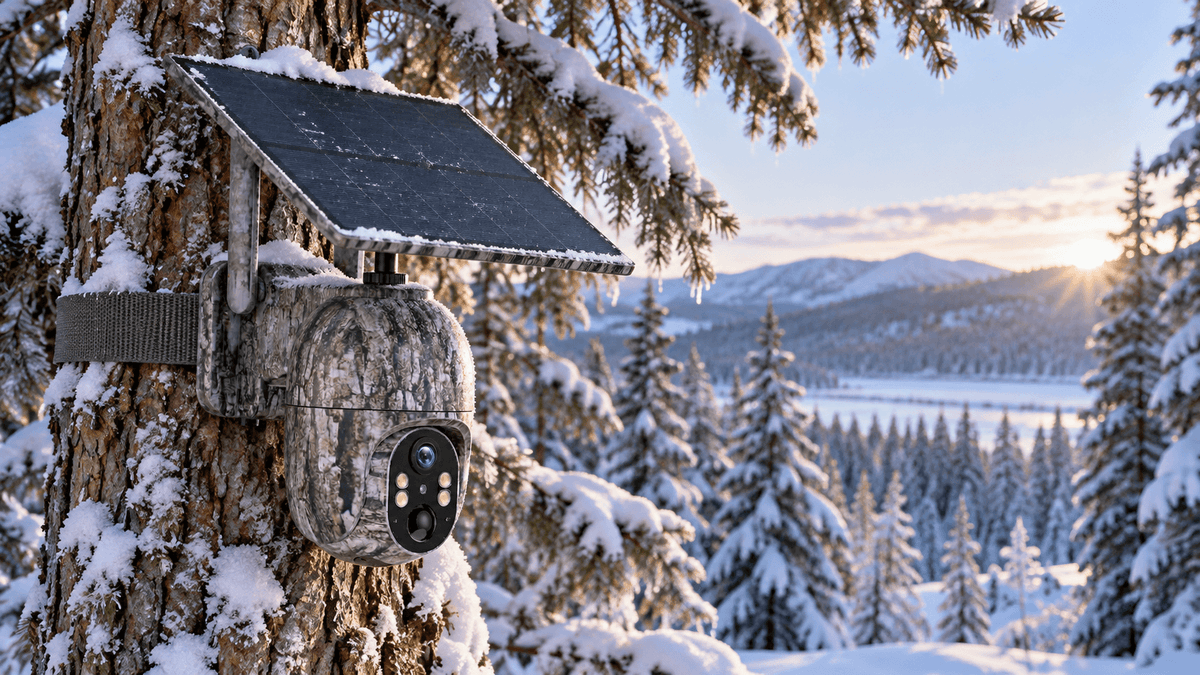
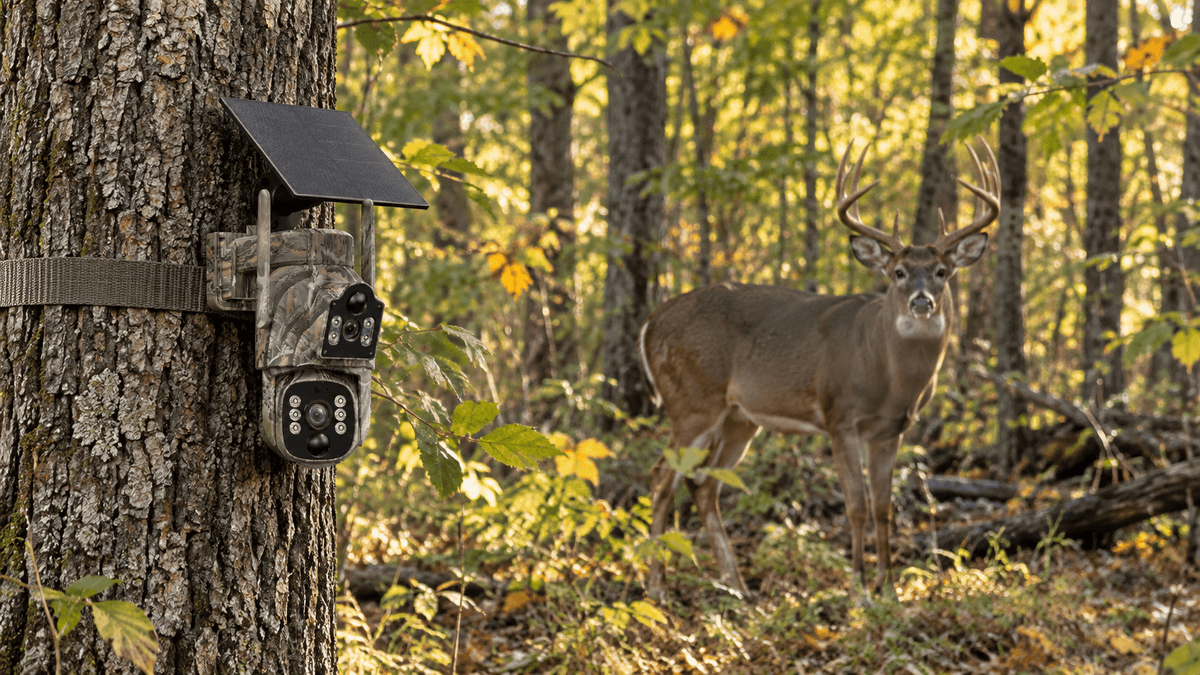
Voopeak trail cameras offer options for outdoor monitoring needs, with model features varying by product. Before choosing a camera, check the specific model's supported recording modes, resolution, night-vision capabilities, power options, and connectivity requirements.
If you frequently monitor remote locations, consider how easily you can retrieve images, manage recordings, and maintain the camera over time.

9. FAQ
Is photo or video mode better for trail cameras?
Photo mode is generally better for efficient wildlife identification and long-term activity monitoring. Video mode is better for studying movement, feeding, social interactions, and other behaviors. The best choice depends on the data you need.
Do trail cameras use more battery in video mode?
Usually, yes. Recording video often requires more power than taking still photos, especially for longer clips or high-resolution recordings. Actual battery consumption depends on camera design, settings, temperature, trigger frequency, and nighttime illumination.
Does video mode use more SD card storage?
Generally, yes. Video files usually take up more space than individual photos, although file sizes vary significantly by resolution, frame rate, compression, and clip length.
Which mode is better for deer scouting?
Photo mode is often more efficient for identifying deer and documenting recurring visits. Video mode is more useful for observing how deer move through an area or interact with other animals. Using both can provide a more complete picture.
Can trail camera photos and videos show wildlife activity at night?
Yes, if the camera supports nighttime recording. Results depend on the camera's infrared illumination, sensor performance, distance, and environmental conditions. Review sample night footage when evaluating a model.
Should I use the highest resolution available?
Not necessarily. Higher resolution can reveal more detail, but it may also increase file sizes and, depending on the camera, power consumption. Choose settings that provide sufficient detail for identification without overwhelming your storage capacity.
What is the best way to collect reliable wildlife data?
Use consistent camera placement, check the date and time settings, minimize false triggers, and organize recordings by location and date. Distinguish between individual sightings and individual animals, since the same animal may trigger the camera repeatedly.
Final Verdict: Photo or Video Mode?
There is no single recording mode that captures every type of useful wildlife data equally well.
Choose photo mode for efficient wildlife monitoring, animal identification, deer scouting, and long-term activity records. Choose video mode when you need to understand movement, behavior, or interactions. Use both strategically when you want a richer picture of wildlife activity.
Ultimately, useful wildlife data is not simply about collecting more images or longer recordings. It is about capturing relevant observations consistently and choosing the right recording method for your goals.
With thoughtful camera placement, appropriate settings, and a clear monitoring plan, a Voopeak trail camera can help you observe wildlife more effectively and make better use of every field recording.

Hinterlasse einen Kommentar
Diese Website ist durch hCaptcha geschützt und es gelten die allgemeinen Geschäftsbedingungen und Datenschutzbestimmungen von hCaptcha.