
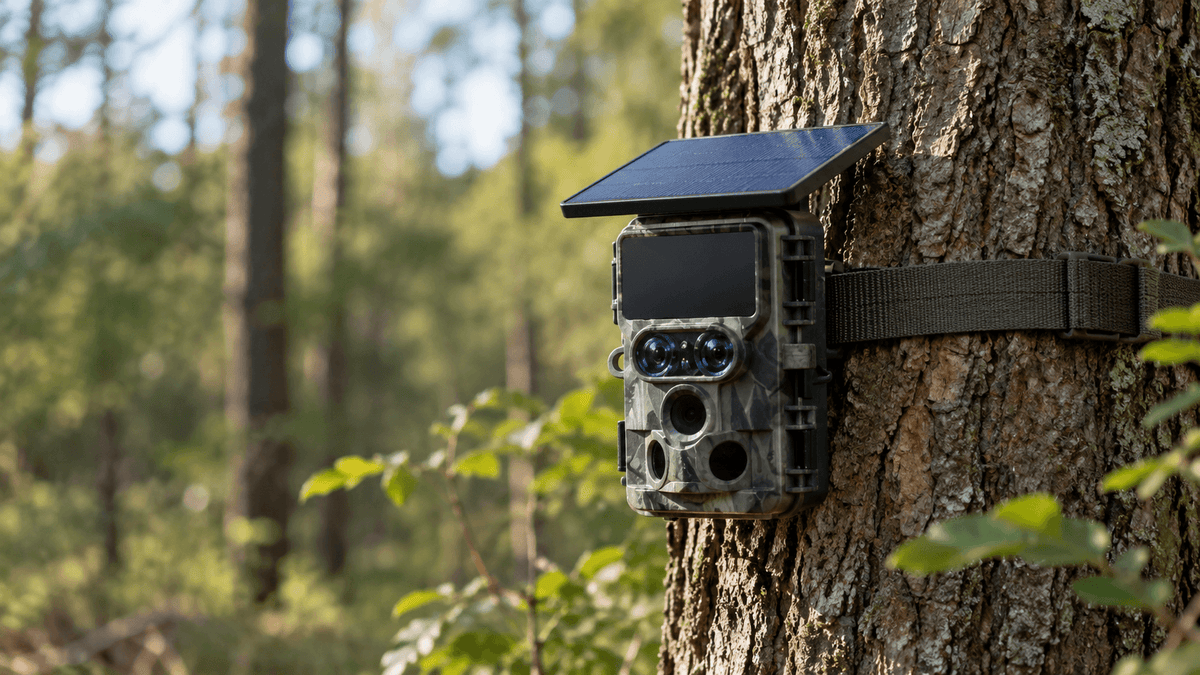
Trail cameras are valuable tools for wildlife observation, hunting, property monitoring, and outdoor security. Whether you use a trail camera to capture deer movement, monitor a remote hunting property, or observe wildlife in your backyard, protecting your equipment is just as important as choosing the right camera.
Unfortunately, trail cameras placed outdoors can be vulnerable to theft, vandalism, accidental damage, and unwanted interference. A camera mounted in an easy-to-reach location may disappear overnight, while poorly positioned equipment can be discovered by curious visitors or damaged by animals and harsh weather.
The good news is that a few practical precautions can significantly reduce these risks. By choosing the right mounting location, using trail camera security accessories, concealing your equipment, and checking your camera regularly, you can make your setup more secure.
In this guide, we'll explain how to secure a trail camera from theft and tampering, including proven trail camera security tips, camera lock options, camouflage techniques, and remote monitoring strategies.
1. Choose a Smart Location for Your Trail Camera
One of the easiest ways to prevent trail camera theft is to think carefully about where you install it. A camera mounted in a highly visible location near a popular hiking trail, public road, or frequently used entrance may attract unwanted attention.
Avoid obvious mounting locations
Whenever possible, avoid placing your camera directly at eye level along a well-traveled path. Instead, look for natural cover, suitable tree trunks, and locations that provide a clear view of your target area without making the camera immediately noticeable.
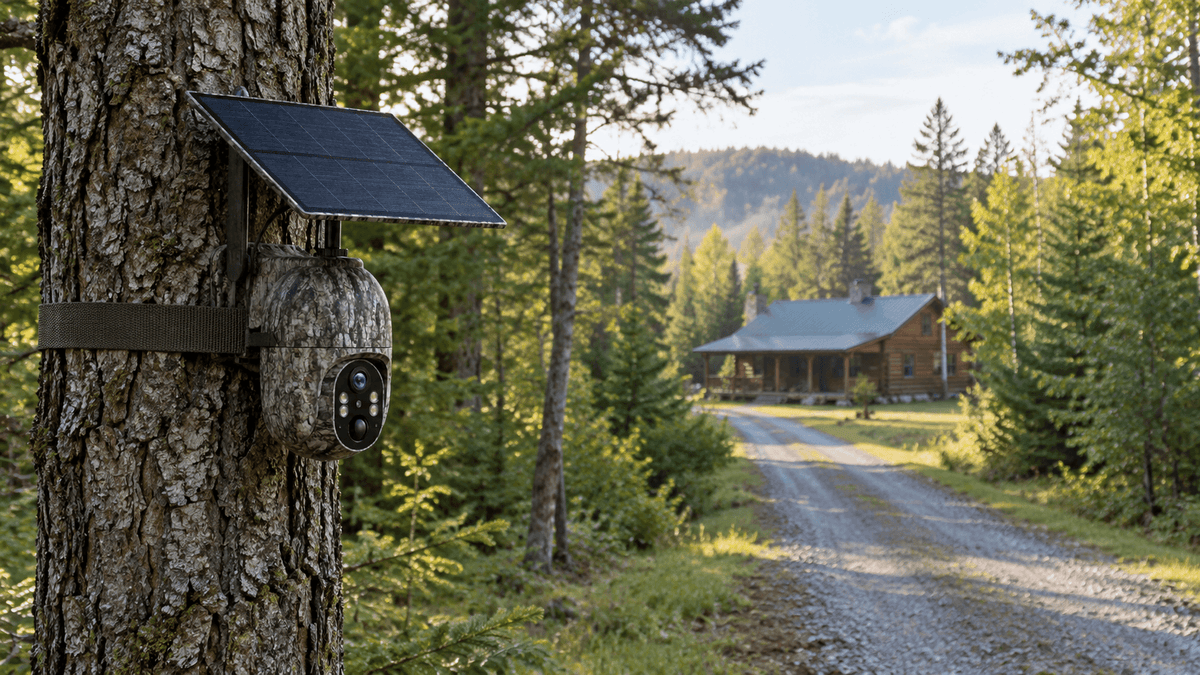
For wildlife monitoring, consider positioning your camera along established animal trails, near feeding areas, or at natural travel corridors. For remote property monitoring, choose a location that covers a driveway, gate, access road, or other important area while keeping the camera relatively discreet.
Always check local rules and obtain permission before installing a trail camera on private or public land.
Mount your camera at an appropriate height
Mounting a trail camera slightly above normal eye level can make it less accessible to casual passersby. Depending on the terrain and intended subject, approximately 6–8 feet above the ground can be a useful starting point.
Angle the camera downward toward the detection area and test the framing before leaving it unattended. Avoid mounting it so high that the camera misses animal activity or produces an unsuitable viewing angle.
Remember that height alone is not a security solution. A determined person may still reach a camera using a ladder or other equipment.

2. Use a Trail Camera Lock Box for Extra Protection
A trail camera lock box is one of the most effective physical security accessories for reducing the risk of theft and tampering.
A compatible metal security box surrounds the camera and helps protect its housing, controls, and mounting points from unauthorized access. Many designs include openings that allow the camera to capture images while the protective enclosure remains in place.
Choose a compatible security enclosure
Before purchasing a trail camera security box, check the exact camera model and enclosure dimensions. The box should fit securely without blocking the lens, infrared illumination, motion sensor, or other important components.
A properly fitted enclosure can make it more difficult for someone to remove the camera quickly. It can also provide an additional layer of protection against accidental impacts and certain types of tampering.
However, no lock box is completely theft-proof. The enclosure itself must also be secured to a suitable mounting point.
Combine the lock box with a sturdy lock
Use a compatible padlock or other locking mechanism to prevent unauthorized access to the enclosure. Inspect the lock periodically for corrosion, wear, and damage, especially when the camera is exposed to rain, humidity, or freezing temperatures.
For cameras installed in remote locations, choose outdoor-rated security accessories designed for long-term exposure to the elements.

3. Secure Your Trail Camera With a Security Cable
A trail camera security cable adds another layer of protection by connecting the camera or its security enclosure to a fixed object.
Steel security cables are commonly used for outdoor cameras because they can make quick removal more difficult. A thief may be less likely to target a camera that requires additional tools and time to remove.
How to install a trail camera security cable
-
Choose a sturdy tree trunk or another permitted, stable mounting structure.
-
Route the cable through the designated security opening on the camera or lock box.
-
Wrap the cable securely around the mounting structure.
-
Lock the cable according to the manufacturer's instructions.
-
Check that the cable is tight enough to limit movement without damaging the camera or tree.
Where practical, position the locking mechanism so it is not immediately visible or easily accessible.
A security cable works best when combined with a lock box and discreet placement. A cable alone may not prevent someone from cutting the cable, removing exposed components, or damaging the camera.
For installations in remote hunting areas, consider checking your cable and locking hardware during routine visits to make sure everything remains secure.
4. Camouflage Your Trail Camera Without Blocking Its Sensors
Camouflaging a trail camera can reduce the chance that people will notice it. However, effective concealment means blending the equipment into its surroundings without interfering with camera performance.
Match the camera to the environment
Choose a mounting location that naturally blends with the surrounding trees, bark, foliage, and shadows. A camera with an appropriately colored housing may be easier to conceal in a woodland environment.
Use natural surroundings to your advantage, but avoid placing leaves, branches, or other materials directly in front of the lens, motion sensor, or infrared LEDs.
Do not cover ventilation openings or use camouflage materials that could interfere with weather resistance or cause the camera to overheat.
Avoid creating an obvious setup
Freshly disturbed vegetation, conspicuous straps, and unusually arranged branches may draw attention to a camera's location. Whenever possible, use existing natural cover and keep the installation neat.
After mounting the camera, step back and view the location from several directions. Check how visible the camera is from nearby paths and access points.
For wildlife photography, concealment should never come at the expense of image quality. Test the camera's detection area and night vision before leaving the location unattended.

5. Consider a Cellular Trail Camera for Remote Monitoring
A cellular trail camera can provide additional visibility into activity around a remote location. Depending on the model, network coverage, data plan, and app features, cellular connectivity may allow users to receive images or notifications without physically visiting the camera after every detection.
This can be particularly useful for hunting properties, large rural properties, wildlife observation areas, and locations that are difficult to access regularly.
Understand the difference between Wi-Fi and cellular trail cameras
Wi-Fi trail cameras and cellular trail cameras work differently.
A Wi-Fi trail camera may require you to be within range of its Wi-Fi connection to access images or adjust settings. Some models create a local hotspot rather than connecting directly to a home router.
A cellular trail camera uses a supported mobile network and generally requires a compatible data plan. Depending on the product, it can transmit images or other supported information over a cellular connection from a remote location.
Neither technology guarantees theft prevention. Their security benefits depend on the specific model, connectivity, and available app functions.
Check alerts and transmitted images
If your camera supports remote image transmission or motion alerts, review them regularly. Unexpected movement, changes around the mounting location, or repeated activity near a camera may indicate that an inspection is needed.
Keep in mind that connectivity depends on cellular coverage, battery power, and the camera's settings. Some cameras transmit images rather than continuous video, and not every model supports live viewing or remote control.
Before choosing a trail camera for security purposes, review its actual specifications and confirm that its connectivity features match your needs.

6. Protect the Camera's Battery, Memory Card, and Settings
Trail camera theft prevention is not only about securing the external housing. Someone who can access an unsecured camera may remove its memory card, change its settings, or interrupt its operation.
Use a secure mounting and access routine
If your camera supports a password or app-based access protection, enable the available security features. Use a strong, unique password where applicable, and avoid sharing account credentials unnecessarily.
When checking the camera, make sure the housing, mounting strap, cable, and lock remain in good condition. Close all compartments properly after replacing batteries or a memory card.
If your model supports remote configuration, use it when practical to reduce unnecessary physical access to the camera.
Keep a record of your equipment
Record your camera's model, serial number if available, and identifying details. Keep purchase receipts and photographs of the installed camera.
If the camera is stolen, these records may help with a police report, insurance claim, or recovery effort. Report theft to the appropriate local authorities and provide any relevant evidence.
Do not assume that a remote monitoring feature can locate a stolen camera unless the manufacturer specifically confirms that the model supports location tracking.
7. Inspect Your Camera Regularly and Maintain Its Mounting Hardware
Even a well-secured camera needs occasional maintenance. Weather, wildlife, falling branches, and changing ground conditions can weaken a mounting setup over time.
During routine inspections, check for:
-
Loose straps, brackets, security cables, or padlocks.
-
Cracked housings, damaged seals, and signs of water intrusion.
-
Branches or vegetation blocking the lens or motion sensor.
-
Battery problems, memory card errors, or unexpected changes in settings.
-
Signs of tampering, disturbed soil, or damaged surrounding vegetation.
If the camera is installed in a remote area, plan visits around battery life, recording needs, and local conditions. Avoid unnecessary trips, but do not leave damaged mounting hardware unattended for long periods.
After heavy storms or other severe weather, inspect the installation when it is safe to do so.
8. Avoid Common Trail Camera Security Mistakes
Some installation mistakes make cameras easier to steal or cause them to stop recording when they are needed most.
Relying on camouflage alone: A concealed camera may still be easy to remove. Combine discreet placement with a lock box and security cable.
Mounting the camera too low: An easily accessible camera may attract unwanted attention. Consider a higher mounting position while maintaining the correct viewing angle.
Ignoring cellular coverage: A cellular trail camera cannot reliably transmit images where supported network coverage is unavailable. Check coverage before installation.
Blocking the motion sensor: Dense vegetation or poorly positioned camouflage materials can interfere with detection and reduce useful footage.
Forgetting about battery life: A camera that loses power cannot continue its normal monitoring functions. Check battery status and use compatible power accessories.
Assuming every camera offers the same features: Remote viewing, image transmission, password protection, and anti-theft accessories vary by model. Confirm the manufacturer's specifications before relying on a feature.
9. Choose a Trail Camera That Fits Your Security Needs
The best trail camera security setup depends on where the camera will be installed and what you need it to capture.
For wildlife observation in a wooded area, prioritize dependable motion detection, suitable night vision, weather resistance, and a mounting system that blends into the environment.
For remote property monitoring, consider whether a Wi-Fi or cellular trail camera better suits the location. If the installation is far from your home network, a compatible cellular model may be more practical, provided there is adequate coverage and you have an appropriate data plan.
Voopeak trail cameras offer options for different outdoor monitoring needs, including Wi-Fi and cellular models. Before choosing a model, compare image resolution, night vision, power options, connectivity, and compatibility with available security accessories.
For example, the Voopeak TC22 is a Wi-Fi trail camera option for users who want to capture wildlife activity. For locations that require cellular connectivity, explore compatible Voopeak cellular trail camera models and verify their supported network and data-plan requirements.
Regardless of the model you choose, a secure installation is essential. A suitable mounting location, compatible lock box, security cable, and regular maintenance can help reduce the risk of theft and tampering.
Conclusion: Make Trail Camera Security Part of Your Setup
Learning how to secure a trail camera from theft and tampering starts with a few practical decisions. Choose a discreet location, mount the camera at an appropriate height, use a compatible lock box and security cable, and keep the lens and motion sensor unobstructed.
For remote installations, consider whether cellular connectivity and supported app features can make monitoring more convenient. Inspect the equipment regularly, protect access to the camera's settings, and keep a record of your device details.
No single method can guarantee that a trail camera will never be stolen or damaged. However, combining physical security, thoughtful placement, and regular maintenance can make your outdoor camera setup more resilient.
Explore Voopeak trail cameras to find an option suited to your wildlife observation, hunting, or remote monitoring needs, and build a security setup that helps you spend more time capturing the moments that matter.

Hinterlasse einen Kommentar
Diese Website ist durch hCaptcha geschützt und es gelten die allgemeinen Geschäftsbedingungen und Datenschutzbestimmungen von hCaptcha.